🧠 AI Management Center
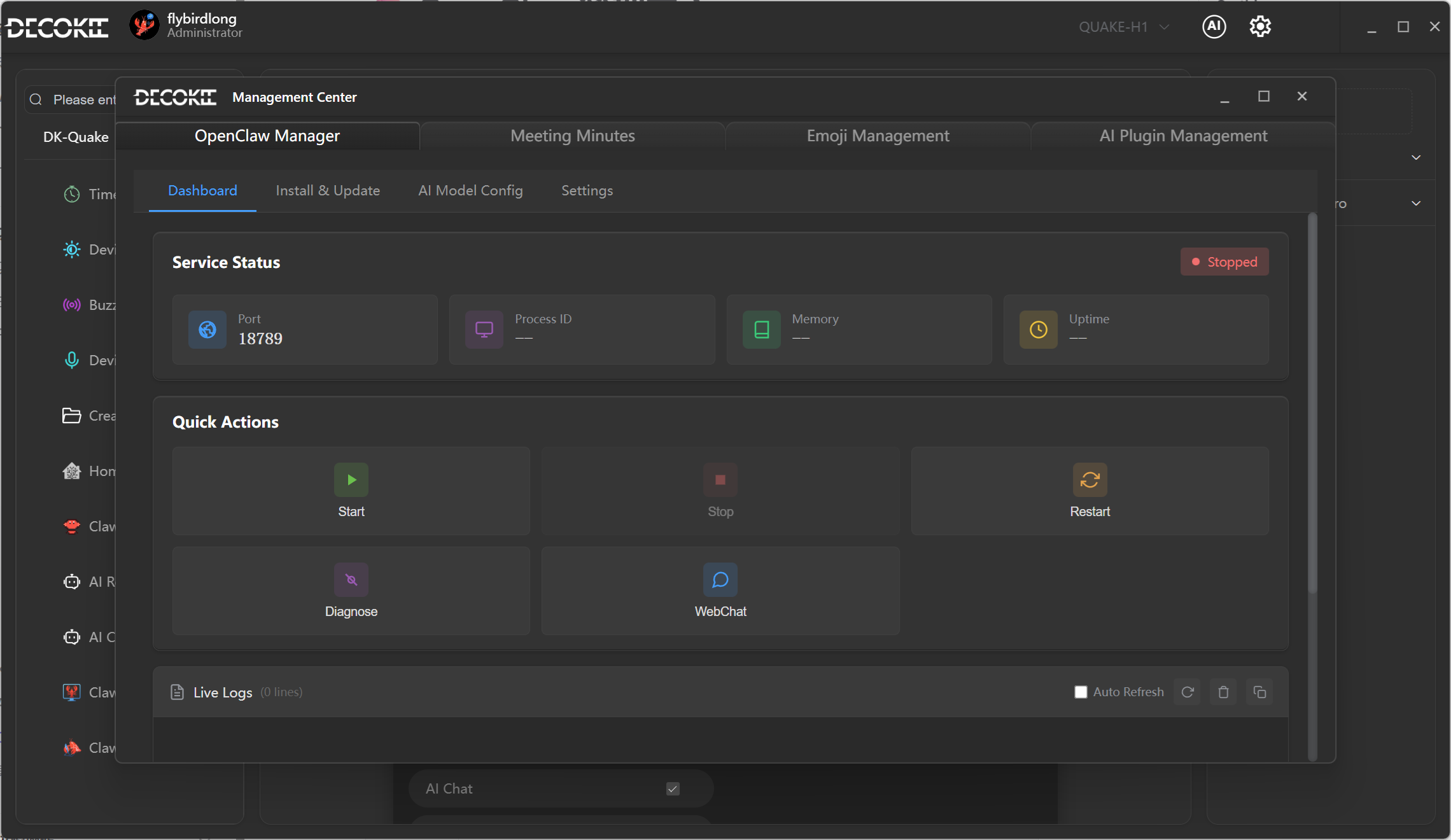
Entry: TitleBar AI icon → Management Center
Left sidebar tabs: [Claw Console] [Meeting History] [Emoji Manager] [AI Plugin Manager]
4 tabs available:
| Tab | Function |
|---|---|
| Claw Console | Manage OpenClaw Gateway (4 sub-pages) |
| Meeting History | View past meeting minutes, search/filter/export |
| Emoji Manager | Import/manage custom emoji packs |
| AI Plugin Manager | Generate shortcut config plugins with AI |
① Claw Console — Dashboard
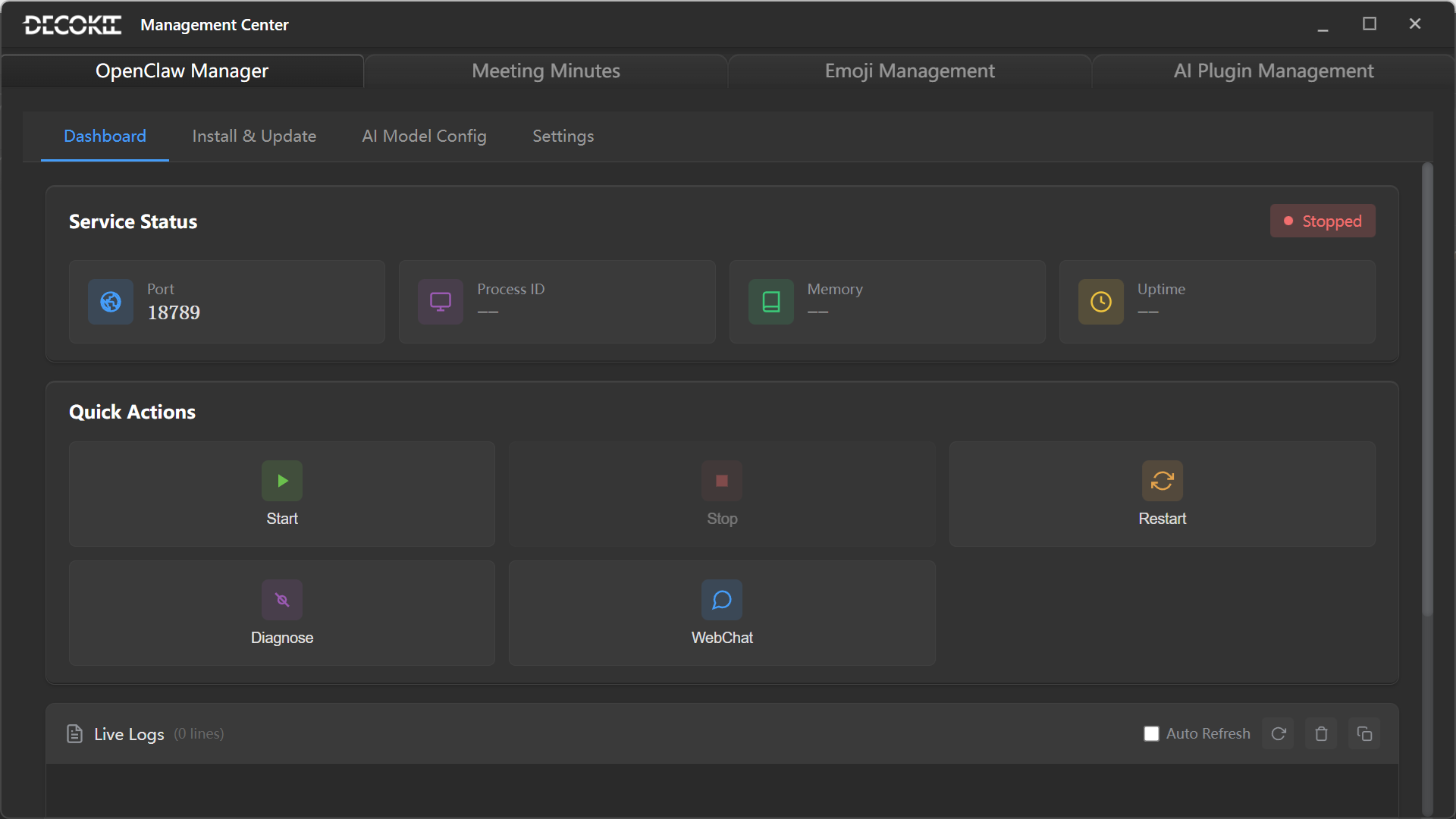
Service Status: Running/stopped status, Port, PID, Memory, Uptime
Quick Actions:
- ▶ Start / ⏹ Stop / ↻ Restart / 🩺 Diagnose / 💬 Webchat
Live Logs: Auto-scrolling with color-coded levels, clear and export.
② Claw Console — Install
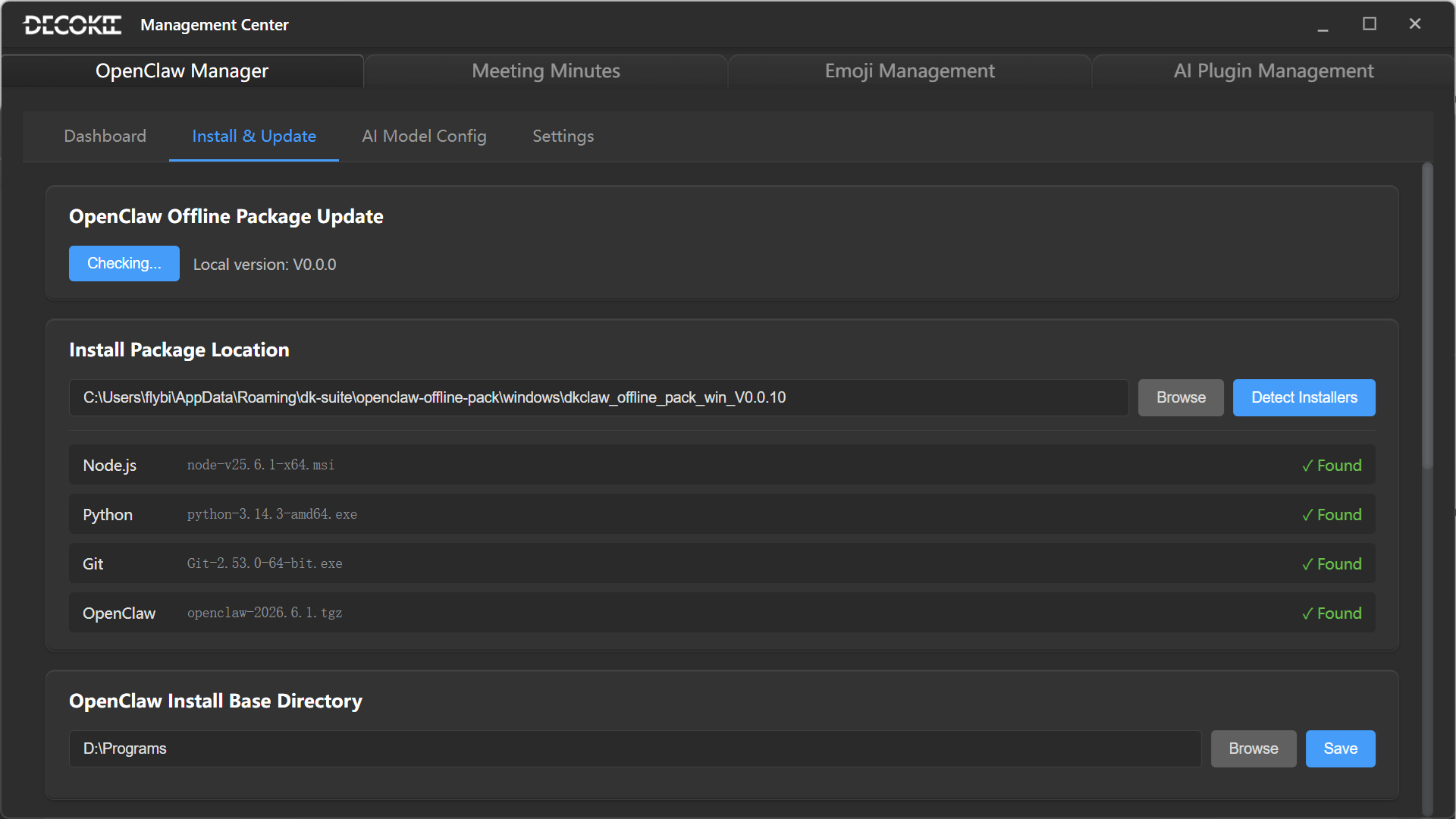
4-step installation:
- Environment check — Node.js, Python, port availability
- Download package — Pull latest from GitHub
- Extract & configure — Auto-setup config.json and workspace
- Verify — Confirm Gateway started
Supports reinstall and uninstall.
③ Claw Console — AI Config
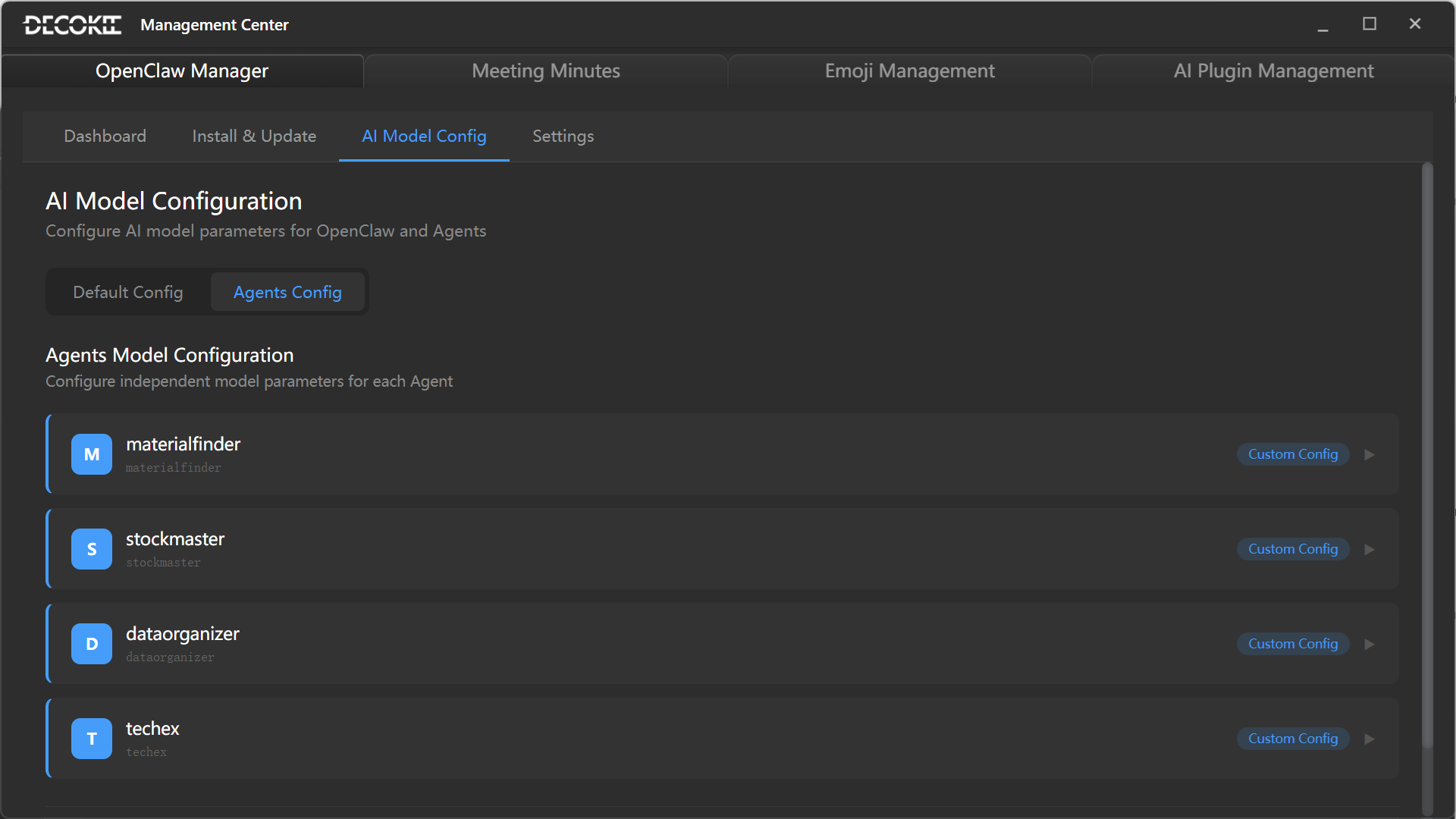
Upper — AI Provider management Configure API Key, Base URL, model selection, default model, temperature, max tokens.
Supported: OpenAI, Claude, DeepSeek, Azure OpenAI, custom OpenAI-compatible.
Lower — Agent management
| Agent | Recommended |
|---|---|
| 📦 Material Finder | OpenAI gpt-4o |
| 📊 Stock Master | DeepSeek |
| 📁 Data Organizer | OpenAI gpt-4o-mini |
| 🔧 TechEx | Claude |
④ Claw Console — Settings
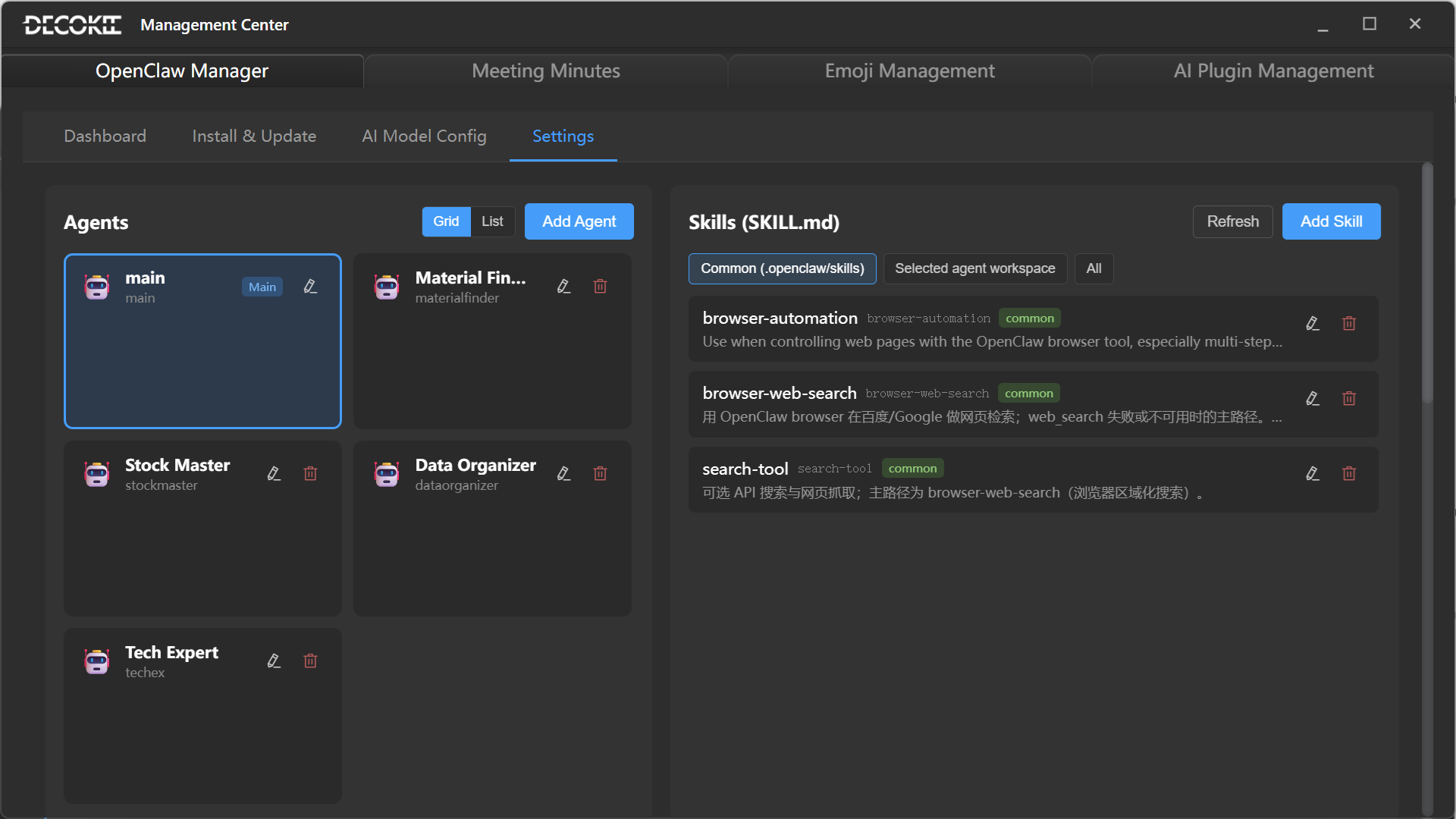
| Group | Settings |
|---|---|
| Gateway | Port, host, log level |
| Workspace | Working directory, file size limit, retention |
| Agent | Timeout, retries, concurrency |
| Security | API token, allowed domains (CORS) |
⑤ Meeting History
Detailed usage → Meeting Assistant Profile
Time-based meeting records with search, filter, playback, and export.
⑥ Emoji Manager
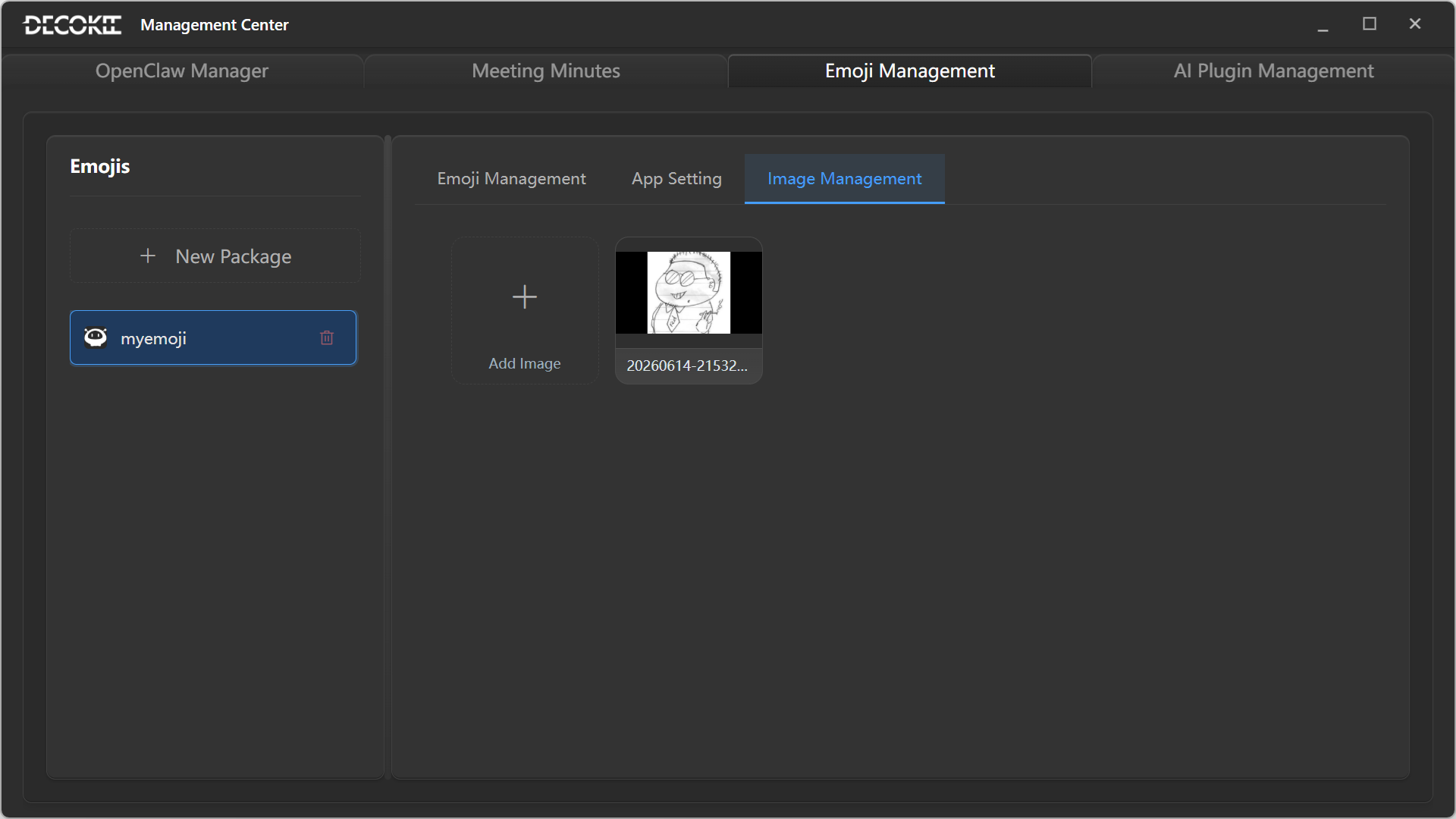
Create custom emoji packs using AI. Emojis can be dragged to the 8×2 grid as shortcut icons.
Create
Tap + New to create a pack (up to 15 emojis per pack).
Edit
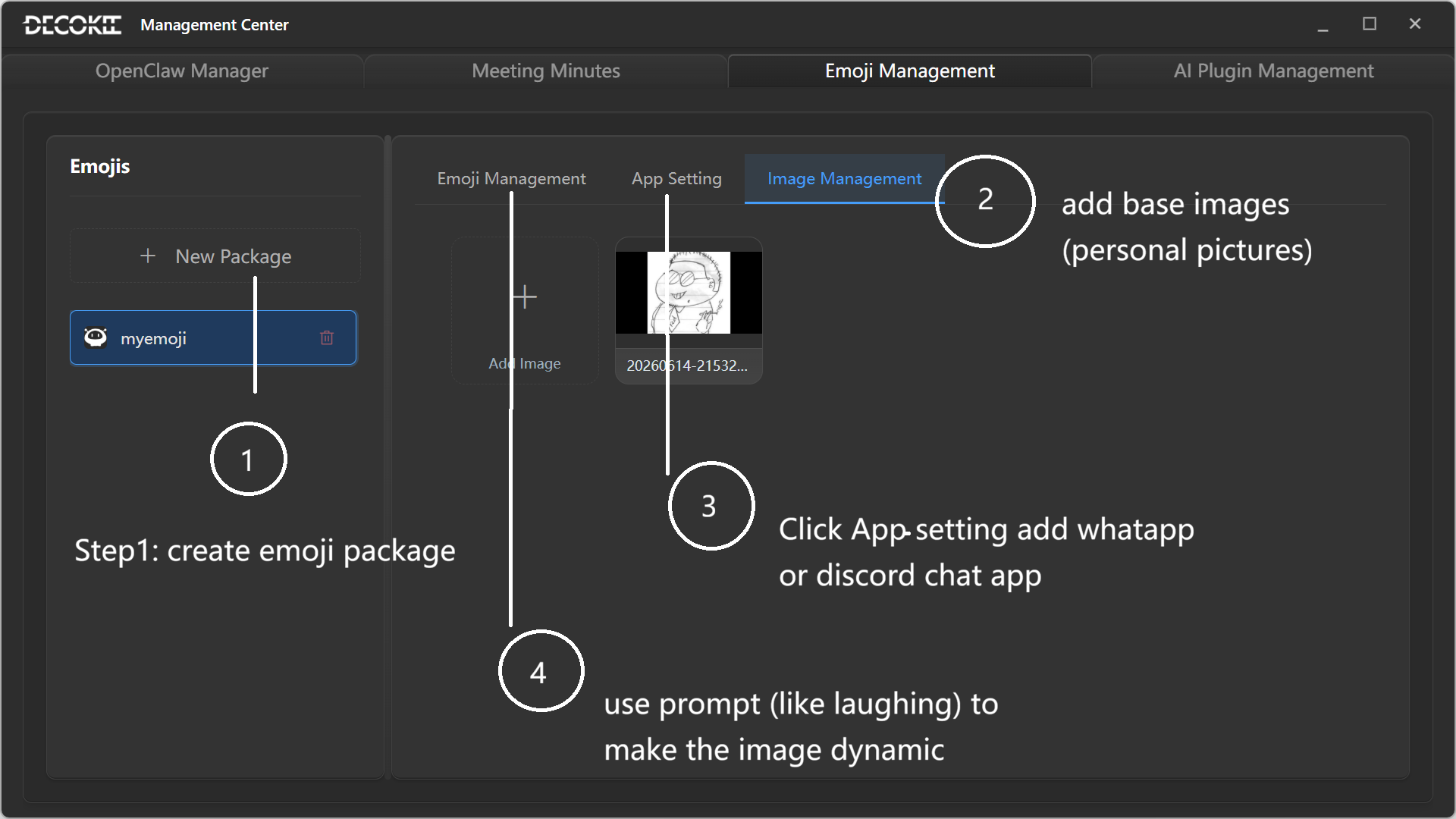
Customize text, font, color, and position using templates or AI generation.
Use
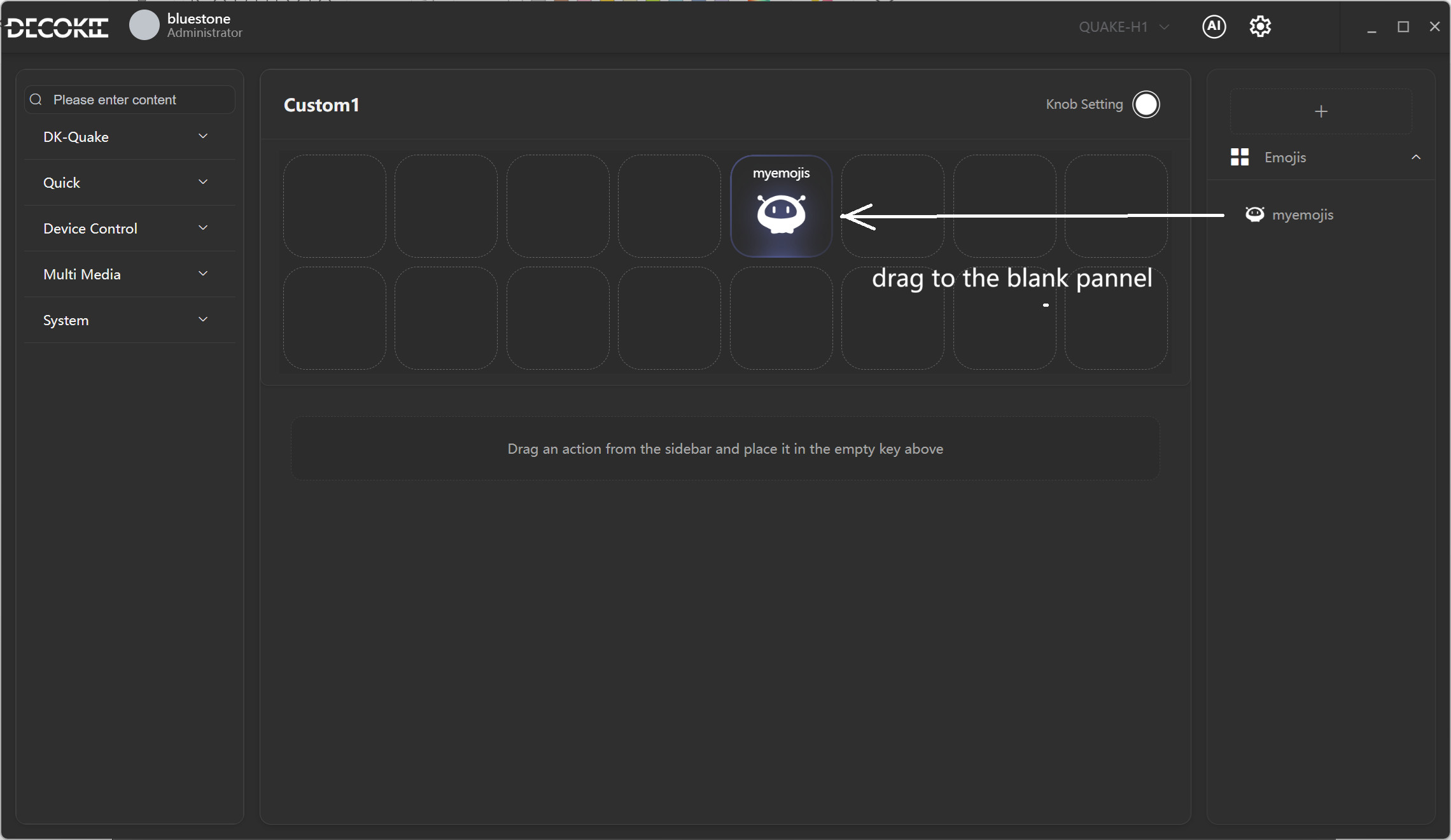
- Drag emojis to the 8×2 grid as shortcut icons
- Bind to apps for auto-switching
Manage
| Action | Description |
|---|---|
| New Pack | Tap + New to create |
| Delete | Remove individual emojis or packs |
⑦ AI Plugin Manager
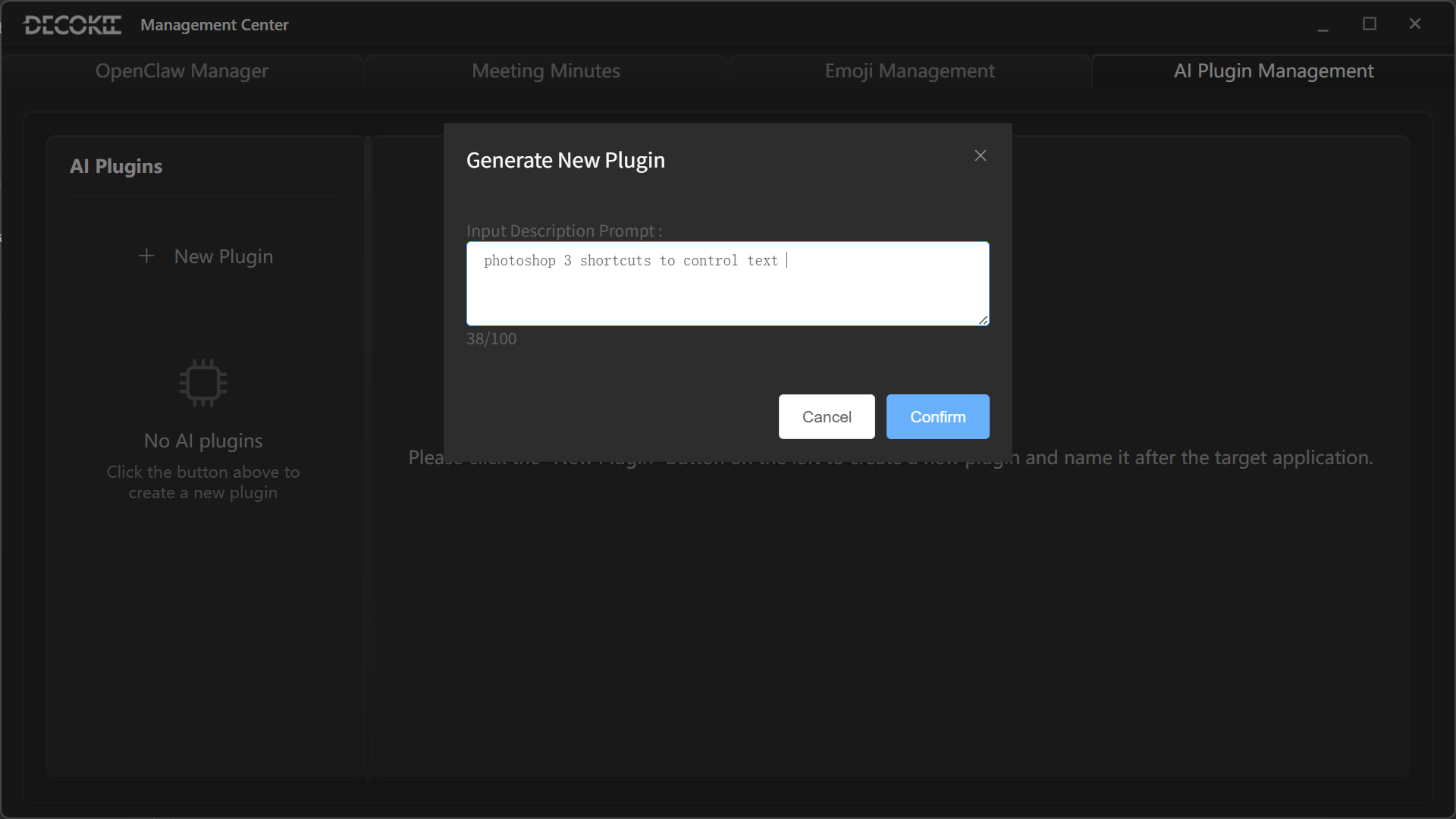
Generate
Describe in natural language → AI generates the plugin shortcut configuration.
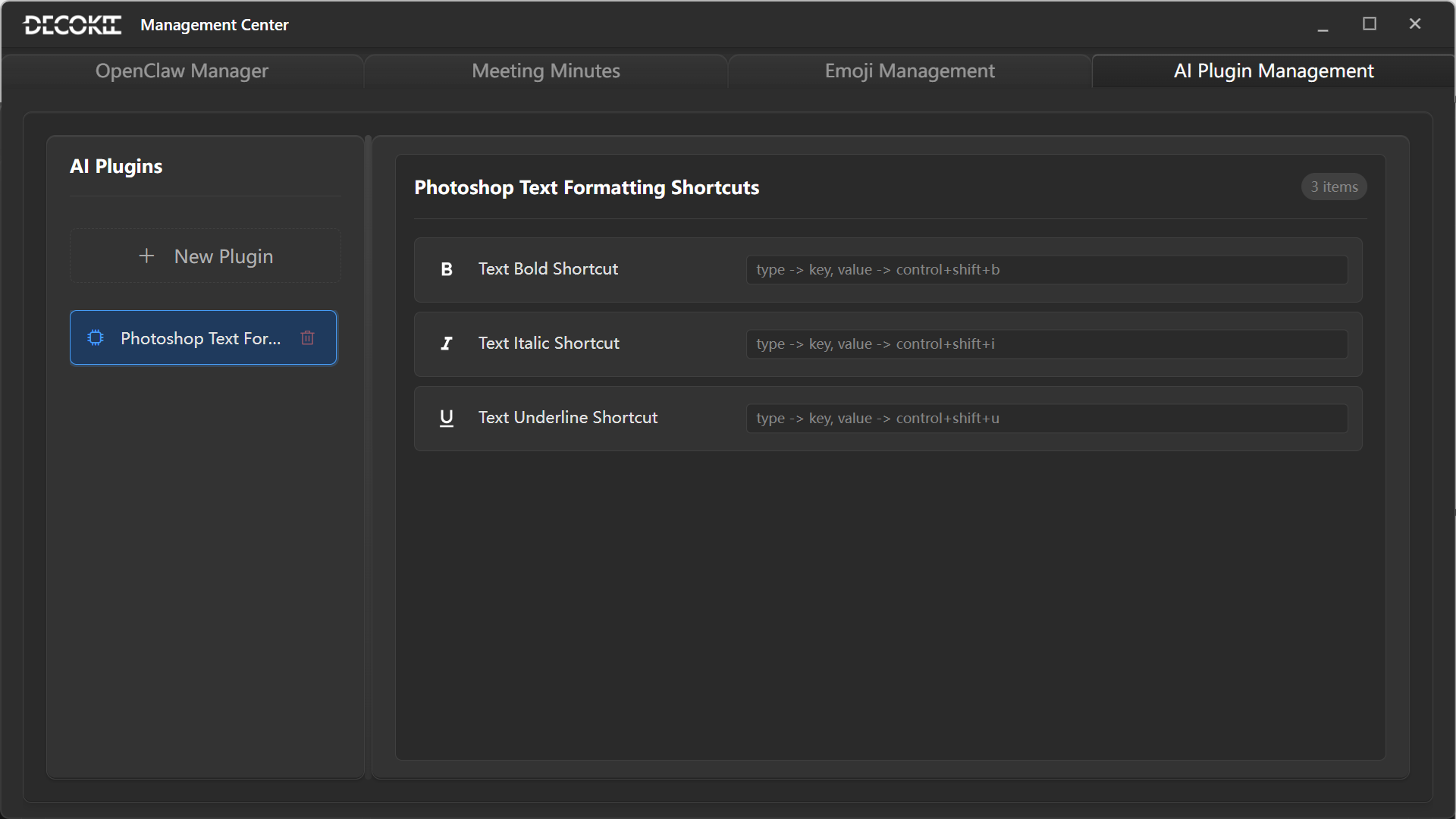
Use
Generated plugins appear in the right app library on the main screen, ready to drag onto the grid.
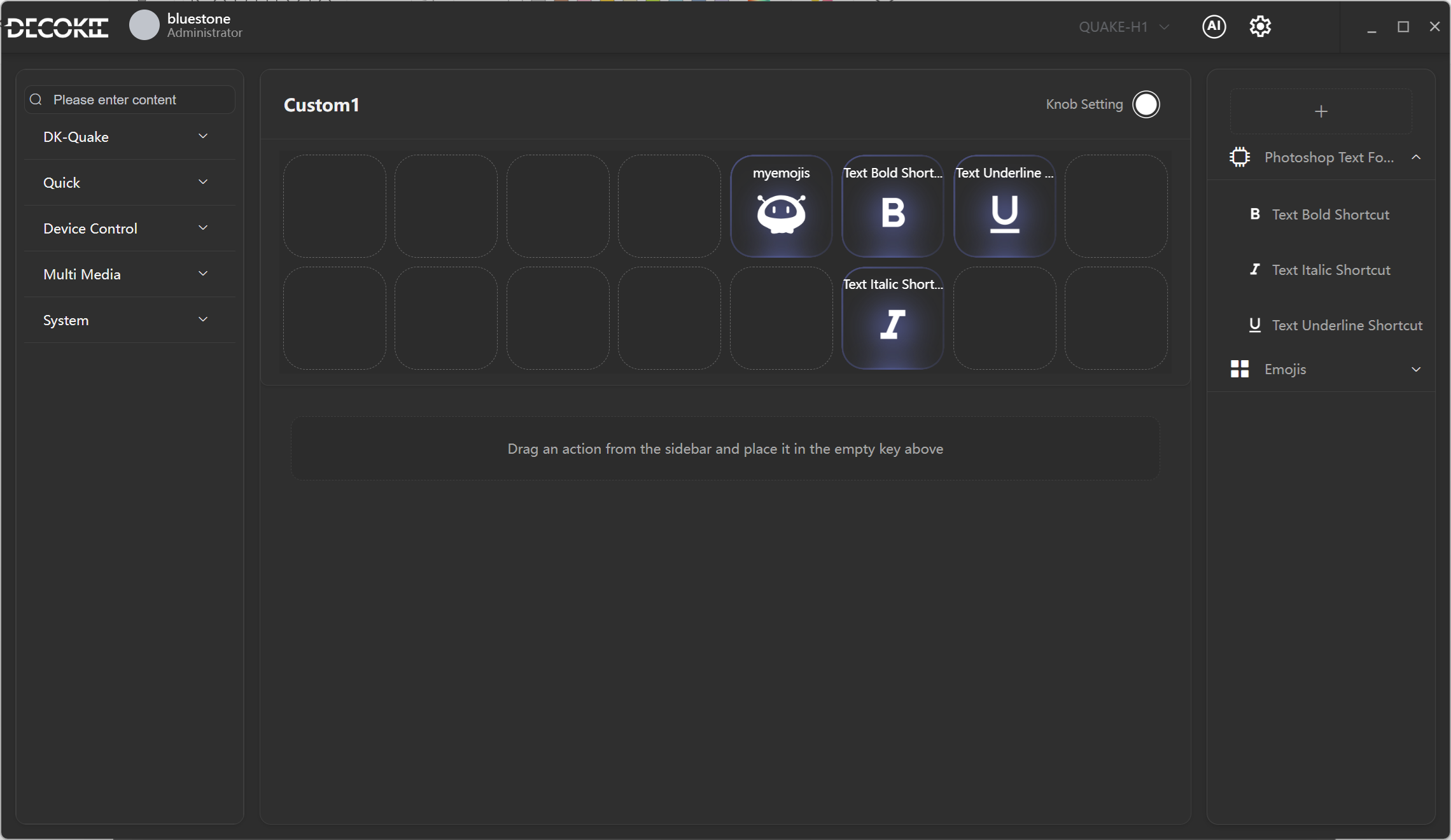
| Action | Description |
|---|---|
| New | Click + to create |
| Edit | Double-click to rename; right-click to clone/export |
| Delete | Remove unwanted plugins |