⚡ Quick Operations
Integrated system-level shortcuts. Window management, screenshots, screen recording, and system tools — all in one place.
Grid Layout
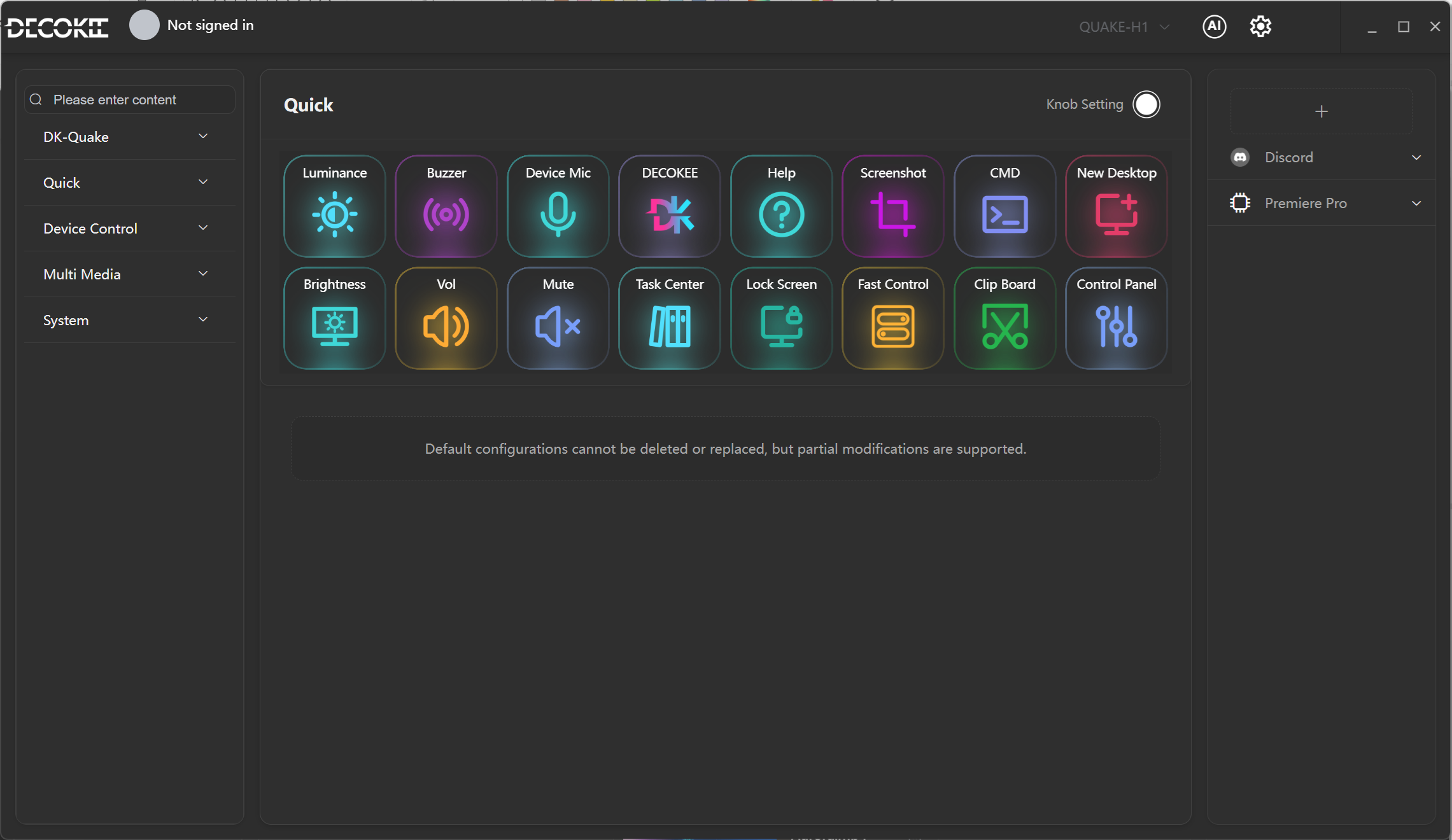
Shortcut Keys
Row 1
| Position | Key | Function | Description |
|---|---|---|---|
| (1,1) | 💡 Device Brightness | Luminance | Adjusts QUAKE-H1 device screen brightness |
| (1,2) | 🔊 Buzzer | Buzzer | Toggles QUAKE-H1 buzzer |
| (1,3) | 🎤 Device Mic | Device Mic | Toggles the device microphone |
| (1,4) | 🔵 DECOKEE | DECOKEE | Opens the DECOKEE website |
| (1,5) | ❓ Help | Help | Opens help documentation |
| (1,6) | 📸 Screenshot | Screenshot | Takes a system screenshot |
| (1,7) | 💻 Command Line | CMD | Opens a command line terminal |
| (1,8) | 🖥 New Desktop | New Desktop | Creates a new virtual desktop |
Row 2
| Position | Key | Function | Description |
|---|---|---|---|
| (2,1) | 🔆 Brightness | Brightness | Adjusts system screen brightness |
| (2,2) | 🔊 Volume | Vol | System volume control |
| (2,3) | 🔇 Mute | Mute | Toggles system mute |
| (2,4) | 📋 Task Manager | Task Center | View/switch between running tasks |
| (2,5) | 🔒 Lock Screen | Lock Screen | Locks your computer screen instantly |
| (2,6) | ⚡ Quick Settings | Fast Control | Quickly access system settings |
| (2,7) | 📎 Clipboard | Clip Board | Clipboard functionality |
| (2,8) | ⚙️ Control Panel | Control Panel | Opens system control panel |
This layout is the default configuration for Windows. macOS and Linux systems automatically adapt to their respective platform shortcut key layouts.